What changed
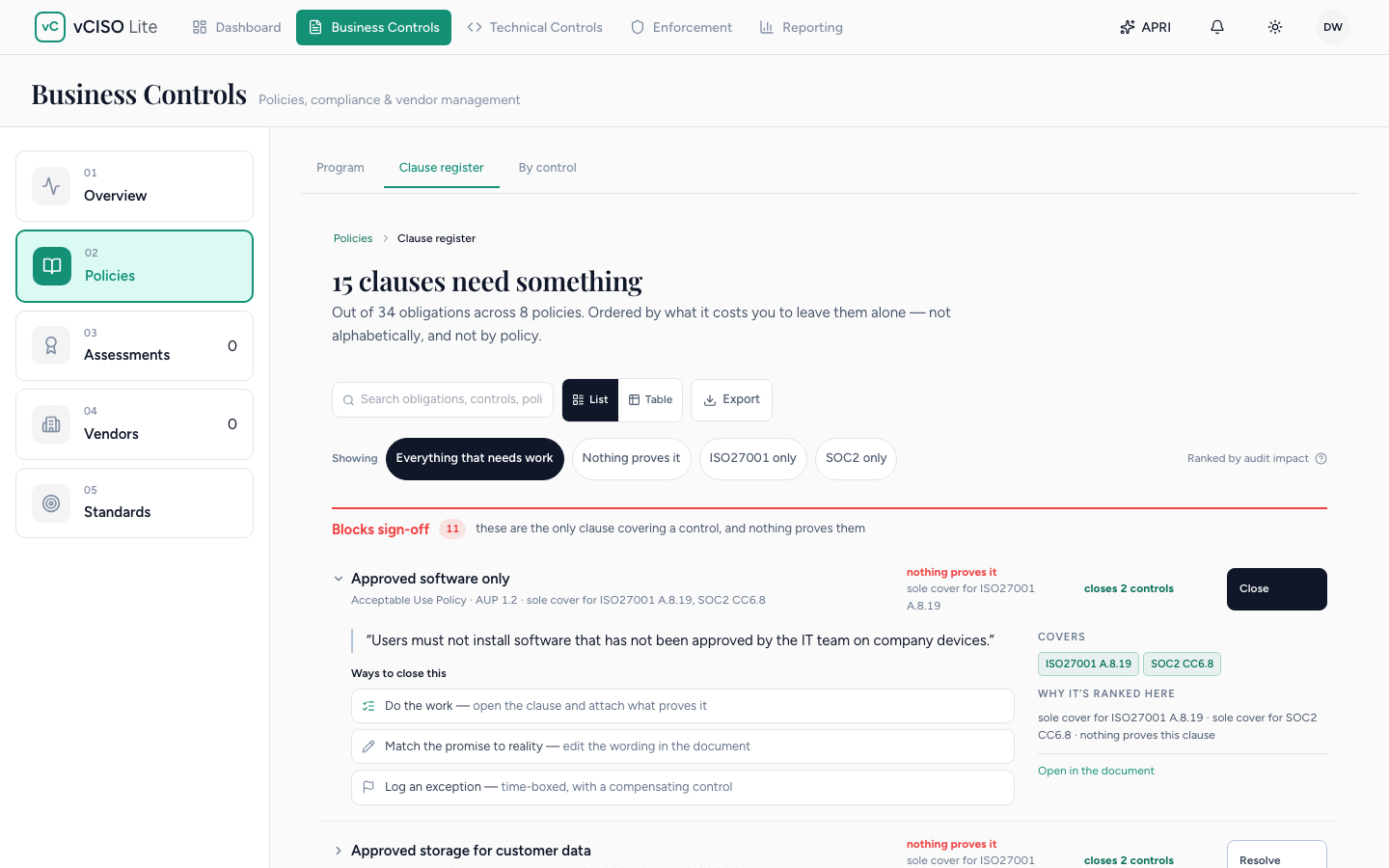
A policy is only as good as its weakest sentence, and until now ours were stored as documents. Today they become something you can check: which of these promises is anything actually backing up? Policy management is now clause by clause, under Business Controls in the new Policies tab.
Why it matters
Ask a general-purpose AI for a backup policy and it will invent your retention period. Ours can’t. The validator rejects any clause that carries a number, a date or a frequency that is not yours, and anything the generator cannot source from your business is flagged in the document instead of guessed.
Updating a policy stops meaning regenerating it. Edit a clause in place, or review a drafted edit as a diff. The values you filled in, the scope decisions you recorded and your exceptions stay where you put them. A clause you cannot meet yet has a home: log an exception on the clause with a reason, a compensating control, a risk level and an expiry.
Approvals and attestation leave a record. Once a version is approved, you can open an attestation in the app, by email or both; anyone who has not signed is reminded after three days and again after seven. The full walk-through is on the policy management page.
Availability
Shipping today to every platform tier. Open it in your tenant at Business Controls → Policies.
Nothing you already had is lost. Existing policies were split into clauses and flagged for review, so the register is where you work through them. You can also upload policies you already have (.docx, .odt, .pdf or .md, up to 5MB); each is split into clauses, flagged for your review, and shown as not yet checked until something proves it.
Known limitations
A mark for “enforced by a live control” is not live yet, so no clause is shown as enforced today. The next iteration wires enforced state to the live control graph.
A mapping the platform only suggests, such as one read from a document you uploaded, is labeled as a suggestion and never counts as coverage until you confirm it.
Uploaded policies are capped at 5MB per file across .docx, .odt, .pdf and .md. Larger files need to be split before upload.